
Work With Coordinates
Choose DD, DDM, or DMS globally, temporarily switch a Marker's display, and copy the displayed coordinate.
Choose the global coordinate format
MCG Maps supports three display formats:
Open Settings from the Incidents screen and select Coordinate Format. This preference controls the default format used throughout MCG Maps.
- DD: Decimal Degrees, such as 47.792009, -117.481840.
- DDM: Degrees Decimal Minutes, such as 47° 47.5205' N, 117° 28.9104' W.
- DMS: Degrees Minutes Seconds, such as 47° 47' 31.2\" N, 117° 28' 54.6\" W.
Temporarily switch a Marker's display
Open a Marker detail view and expand its coordinate display to select DD, DDM, or DMS for that Marker view.
This switch is temporary. It does not change the global preference, and reopening the Marker starts with the global format again.
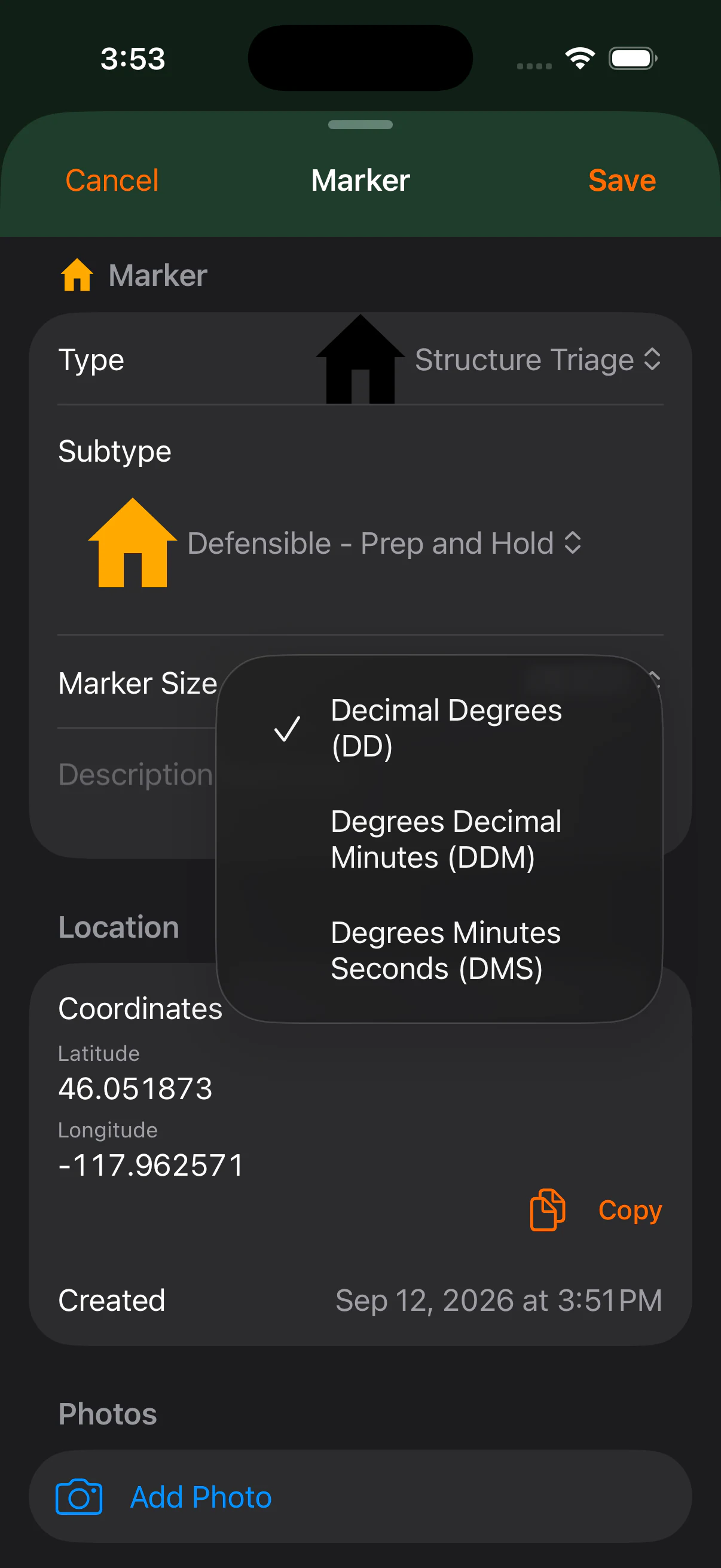
Copy the displayed coordinate
Use Copy on Marker detail to copy exactly the format currently displayed there. If you temporarily switched the Marker from the global format, Copy uses the temporary displayed format.
Place a Marker using coordinates
When adding a Marker, choose Enter Coordinates when you already know the location to mark. Enter the coordinate through the supported entry workflow, confirm the location, and complete the Marker details.
Always verify coordinates before relying on or communicating them for operational use.